Roost V3 Laptop Stand Review:
The Stand That Saves Your Neck
Why raising your screen by 6 inches is one of the most underrated acts of physical self-care you can do at a desk — and why the Roost does it better than anything else.
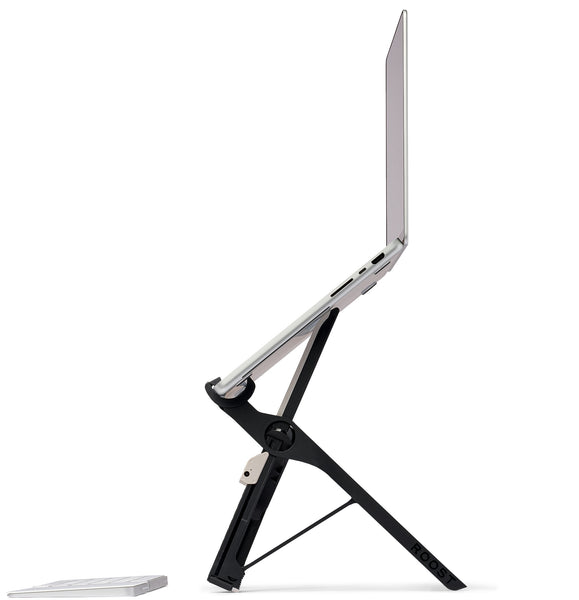
⚡ Quick Specs
| Weight | 5.8 oz (164g) |
| Height range | 6 to 14 inches |
| Height settings | 7 adjustable levels |
| Laptop fit | All 12″–18″ (Mac + PC) |
| Material | Glass-fiber nylon + Delrin resin |
| Grip system | Patented PivotGrips |
| Setup time | Under 2 seconds |
| Price | Check price → |
There is a kind of pain that accumulates slowly. You do not notice it at first — just a slight stiffness in the neck by noon, a dull ache across the shoulders by evening. But over months and years of working hunched over a low laptop screen, that tension becomes your baseline. You stop noticing it. You accept it as the price of doing desk work.
1. What Makes This Different From Other Laptop Stands
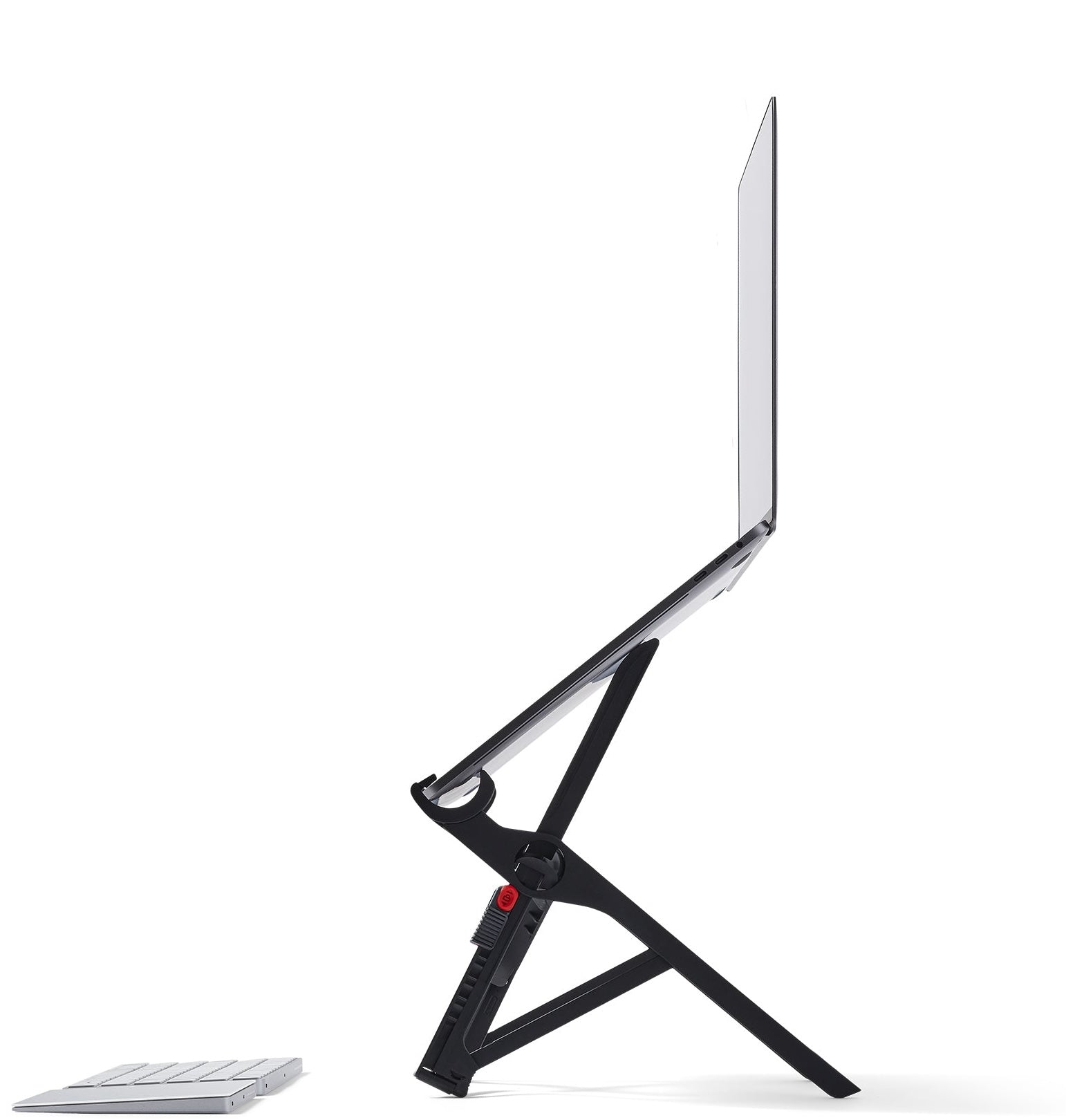
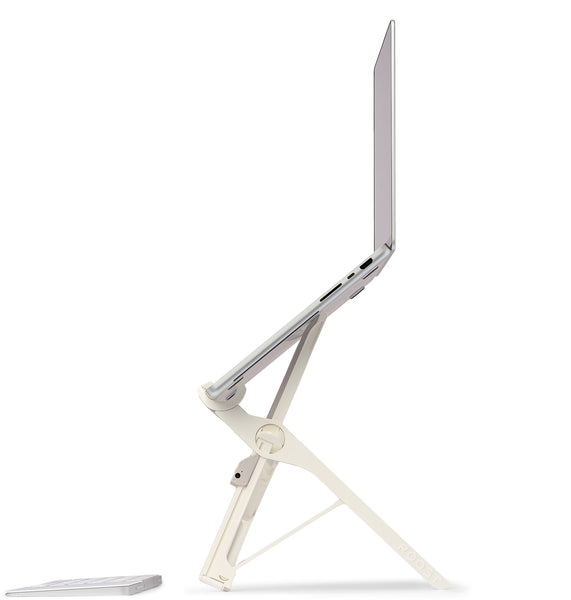
Most laptop stands are heavy, fragile, or require assembly. The Roost V3 is none of those things. It weighs 5.8 oz — lighter than a smartphone — folds to the width of a thick pen, and opens in under two seconds with two release tabs. No setup, no latches, no tools. You pull, it opens, you slide your laptop in.
The key mechanical difference from cheaper stands is the PivotGrip system: two self-adjusting grips that work with any laptop from 11 to 17 inches without requiring any manual adjustment. The stand also raises the screen up to 14 inches above desk level — more height range than most competitors offer. The build is carbon fiber reinforced polymer: rigid enough to hold a MacBook Pro without flex, light enough that you genuinely don’t notice it in a bag.
2. The Things the Listing Doesn’t Tell You
The stand only works when paired with an external keyboard and mouse — once your laptop is elevated, the built-in keyboard is no longer at a usable angle. This is the right setup ergonomically, but it’s an additional cost if you don’t already have them.
The PivotGrips hold the laptop at the front edge only, with no rear support. For most laptops this is fine. For heavier machines over 2.5 kg, there can be a slight forward tilt at maximum height — not unsafe, but noticeable.
The Roost V3 is more expensive than most laptop stands. What you’re paying for is the combination of extreme portability and full height range. If you never move your stand, a heavier fixed stand will cost less and work equally well.
Height adjustment clicks into specific positions — not infinite, but enough for most people. There’s no locking mechanism between positions, which is a minor limitation for people who want very precise height fine-tuning.
3. Using It Mindfully
Neck and shoulder tension from working on a low screen is the kind of discomfort that accumulates gradually. You don’t notice the stiffness arriving — you notice it at 4pm when it’s already settled in. The Roost V3 removes one of the most consistent sources of postural strain in laptop work: the forward head position that comes from looking down at a screen all day.
Using it with intention means pairing the stand with an external keyboard and mouse at elbow height, taking short movement breaks every 45–60 minutes, and paying attention to whether your shoulders are braced or relaxed. The tool puts your screen at eye level. The rest is noticing when you’ve drifted back into old posture habits.
4. Why Screen Height Is a Health Issue, Not Just Comfort
Most people work with their laptop flat on a desk. The screen sits roughly 18 inches below natural eye level. To see it, you tilt your head forward and down. That forward tilt — even just 30 degrees — adds roughly 40 pounds of effective load to the cervical spine. Do this for 6–8 hours a day, and the cumulative damage to muscles, discs, and posture is significant.
Occupational health research consistently finds that screen-at-eye-level is one of the highest-impact ergonomic interventions available — more impactful than an expensive chair, more impactful than a standing desk. Simply raising the screen to where your eyes naturally rest reduces cervical strain and muscle fatigue dramatically.
🔬 The neuroscience connection: Chronic neck and shoulder tension activates the body’s stress response — low-grade engagement of the sympathetic nervous system. This is the opposite of what meditation trains us toward. A relaxed, upright posture is not a luxury. It is a prerequisite for the calm, clear attention that applied Buddhism seeks to develop.
5. What the Roost V3 Actually Does
The Roost V3 is not complex. You pull two release tabs, the stand unfolds in a single motion, and you slide your laptop’s front edge into the self-adjusting PivotGrips. Total setup time: under two seconds. No screws, no latches, no assembly. It simply opens and works.
Seven height levels let you set the screen from 6 to 14 inches above the desk surface. A small guide on the stand recommends the appropriate height for your body height — a detail that shows the designers actually understand ergonomics. The material is glass-fiber reinforced nylon, the same structural polymer class used in aerospace. It does not flex, wobble, or shift under load.
6. Portability: Ergonomics You Actually Bring With You
Most laptop stands live permanently on a home desk. The Roost was designed from the beginning to travel. Folded, it collapses to the width of a thick pen. It slides into the water bottle pocket of a backpack, the gap between packing cubes in a carry-on, or flat into a laptop bag’s accessories compartment. You will not notice the weight. You will notice the absence of neck pain.
This matters because the places where we most need ergonomic support — cramped café tables, hotel desks at the wrong height, co-working spaces with fixed furniture — are precisely where we have no ergonomic tools. The Roost closes that gap. It transforms any surface into a proper workstation.
Important note on external peripherals: The Roost elevates your screen, which means your built-in keyboard and trackpad are now at an awkward angle. You will need a wireless keyboard and mouse. This adds roughly $50–100 to the investment, but it is also the ergonomically correct setup regardless: screen at eye level, keyboard at elbow height. The Roost simply makes this portable.
7. The Hidden Benefit: Passive Laptop Cooling
By suspending the laptop by its front chassis, the Roost exposes the entire bottom case to open airflow. If you run demanding applications — video editing, large spreadsheets, video calls, or code compilation — this passive cooling effect is meaningful. Laptops running hot throttle their processors and degrade battery life over time. The Roost provides better passive cooling than most powered cooling pads, at a fraction of the weight.
8. Pros & Cons: An Honest Assessment
Based on long-term real-world use, community reviews, and ergonomic research.
👍 The Pros
- Genuinely weightless in a bag — 5.8 oz adds nothing perceptible to your carry
- 2-second setup — faster to deploy than opening your laptop
- 7 height levels — sufficient range for seated, standing desk, or tall chair use
- PivotGrips hold firmly — laptop will not slip even if you tilt the stand
- Universal fit — works with virtually every Mac and PC laptop made
- Passive laptop cooling — exposes the full underside to airflow
- Built to last — glass-fiber nylon survives years of daily bag use
- US small business — responsive support and genuine quality commitment
👎 The Cons (Honest Considerations)
- Price — at ~$90, significantly more than generic stands
- Requires external keyboard & mouse — a necessary additional investment
- May be too low for very tall users — those over 6’2″ may want more height
- PivotGrips are very secure — easy to accidentally lift the stand with the laptop
- No cable management — external peripheral cables are on you to manage
- Plastic aesthetic — stands out visually in a metal-and-glass workspace
9. Who Is This For?
✅ Buy It If You Are:
- A remote worker or digital nomad
- Someone with existing neck, shoulder, or upper back pain
- A frequent traveler who works from hotels and cafés
- Serious about long-term posture and spinal health
- A power user whose laptop runs hot
- Anyone who already owns or plans to buy a wireless keyboard and mouse
⏭️ Consider Alternatives If You:
- Work exclusively at a fixed home desk with an external monitor
- Rarely travel or change work locations
- Want a budget option and portability is not a priority
- Are over 6’2″ and need maximum height beyond 14 inches
🌟 Final Verdict: A Wellness Expert’s Perspective
The Roost V3 is not trying to be impressive. It is trying to solve a specific problem — neck pain from laptop use — in the most portable, reliable, and effective way possible. And it succeeds completely.
From an applied Buddhist perspective, the Roost represents something important: the removal of unnecessary suffering. Chronic neck and shoulder tension is not inevitable. It is a condition with a cause — a screen positioned too low — and a solution. This is not a luxury purchase. It is a decision to stop accepting a painful body as normal.
If your work requires a laptop, and your body has been telling you something is wrong — this is what you do about it. Buy it once. Use it everywhere. Your neck, shoulders, and capacity for focused, present-moment attention will all improve.
Check Price & Reviews on Amazon →Affiliate Disclosure: Buddhism with Maitreya Dharma participates in the Amazon Associates affiliate program. If you purchase through our links, we may earn a small commission at no additional cost to you. This supports our mission to share guided mindfulness meditation and applied Buddhist wisdom freely. All content is independently researched and reflects our honest assessment. Stay Mindful.